

Call Forwarding Software
Call Forwarding
Create cloud call flows with an easy-to-configure forwarding system. Optimize your customer service operations with AVOXI’s rich call forwarding capabilities today.
Trusted by the World’s Leading Enterprises


















What is Call Forwarding and
How Does It Work?
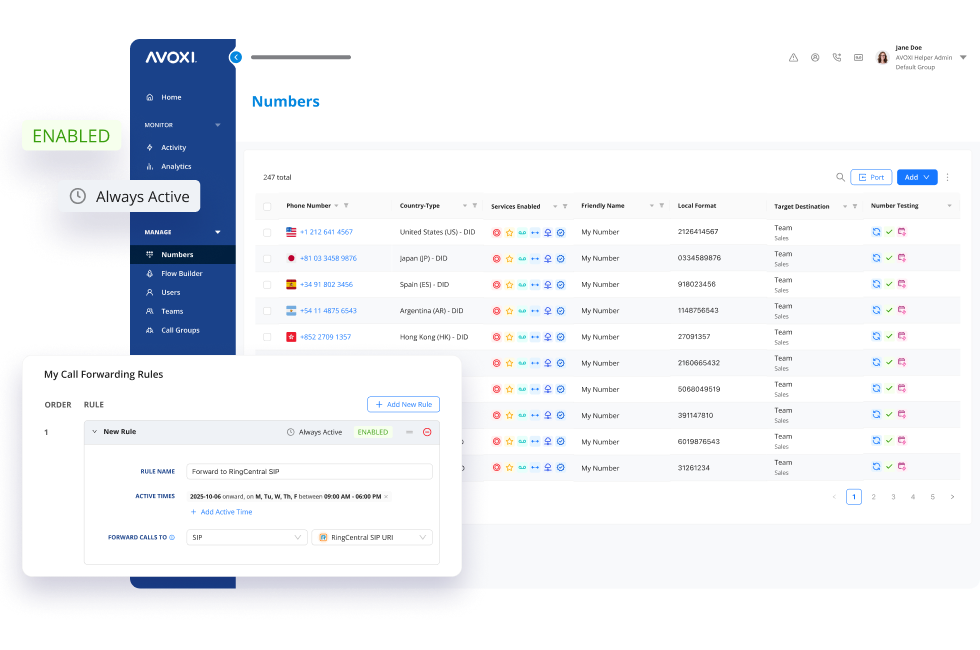
Call forwarding automatically redirects incoming calls to another number, ensuring calls reach their intended destination without interrupting connectivity. Global enterprises can manage high call volumes across regions using cloud-based rules like time-of-day routing and geographic location.

Rule-Based Routing
Route calls based on business hours, caller ID, or geographic location to optimize every interaction.

SIP & PSTN Options
Maintain a professional worldwide presence with flexible forwarding via SIP or traditional PSTN networks.
CRM & Workflow Sync
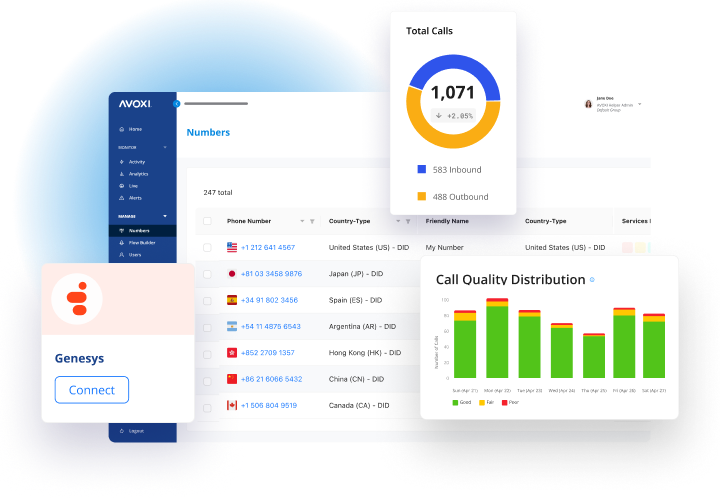
Connect your call flows with your CRM to minimize missed calls and stay compliant with regional regulations.
Product Tour
AVOXI Premium
Voice Platform
See how easy global voice solutions can be with our
modern cloud voice platform.
Why Use Call Forwarding?
Businesses rely on call forwarding to:

Maintain uninterrupted communication
Forward calls to your contact center, unified communications app, or any mobile or landline. Ensure your agents and experts stay accessible whether they are working in the office, remotely, or traveling.

Enhance customer experience
Reduce missed calls and wait times by routing business calls based on location, hours, or caller ID. Ensure every customer connects with the right team member every time.

Scale without infrastructure limitations
Eliminate physical hardware with a cloud-based phone system. Easily expand across multiple global locations without the cost or complexity of traditional infrastructure.

Expand global reach
Establish a local presence in key markets with international numbers while seamlessly forwarding calls to central support teams or regional offices.

Ensure business continuity
Prevent disruptions by redirecting calls during network outages, office closures, or unexpected downtime, keeping customer support available at all times.
Optimize call routing
Use Interactive Voice Response (IVR), auto attendants, and time-based forwarding to direct inbound calls efficiently, helping callers reach the right department without frustration.

Support flexible and mobile teams
Let employees take business calls through a VoIP phone, virtual phone system, or mobile app for reliable communication from anywhere.
Never Miss a Call: Advanced Call Forwarding
Businesses rely on AVOXI for global scalability, intelligent routing, and hassle-free integrations. Unlike basic solutions, our advanced service improves customer experiences and reduces missed calls, ensuring your global communications always run smoothly.

Easy Setup and Integration
Get started quickly with seamless integration into your existing phone system. AVOXI connects with CRM, PBX, and APIs to centralize communication, streamline management, and enhance productivity.

Business-Friendly Customizations
Tailor forwarding to your needs. Use skills-based routing for better agent matching, set rules for after-hours or VIP callers, and optimize IVR menus to enhance overall call handling efficiency.

Localized Presence
Build credibility with local, toll-free, and international numbers. AVOXI ensures calls reach your team anywhere, helping you establish trust with regional customers in any global market.

Transparent Pricing
AVOXI provides cost-effective, flexible plans that scale with your business, ensuring you get the best value without any unexpected charges.
How To
How to Set Up Call Forwarding with AVOXI
Setting up call forwarding with AVOXI ensures your business maintains continuous communication, allowing incoming calls to reach the right destination, whether a mobile phone, landline, or another phone system.
Follow this step-by-step guide to configure call forwarding using AVOXI:
Access Your AVOXI Account
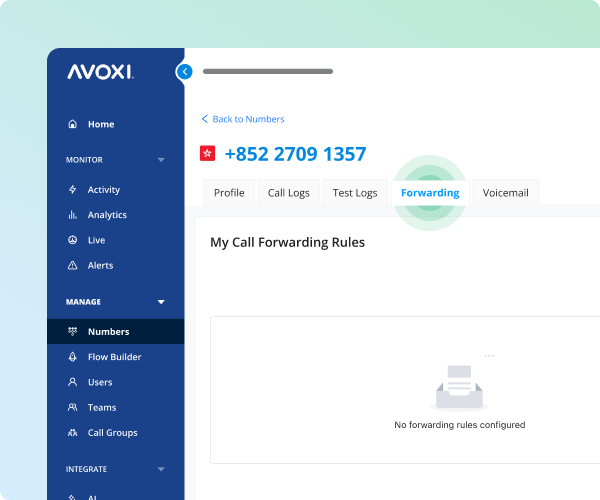
Log in to your AVOXI account and navigate to the “Numbers” tab in the left-hand navigation bar. Select the specific phone number you want to configure for call forwarding.
Configure Call Forwarding Rules
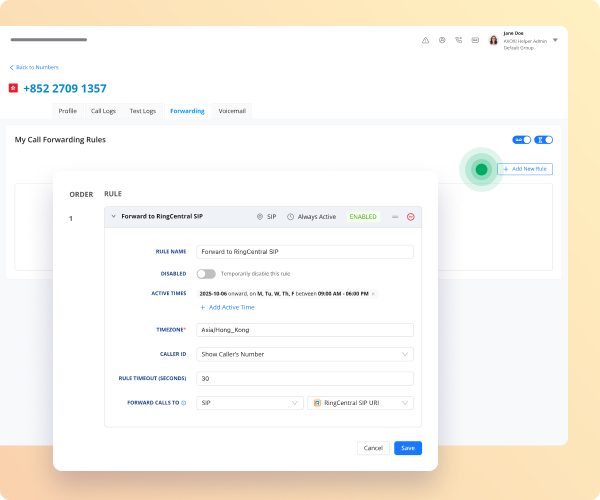
Within the number's profile, click on the “Forwarding” tab. Then click on “+ Add New Rule” to create a new forwarding rule with a descriptive name for easy identification. Define the active times to specify when the rule should be in effect, such as during specific business hours or after hours.
Decide how the caller ID will display—either the dialed number or the caller’s number. Set the rule timeout to determine how long the call should ring before the next action is applied, such as forwarding to voicemail.
Choose Where to Forward Your Calls
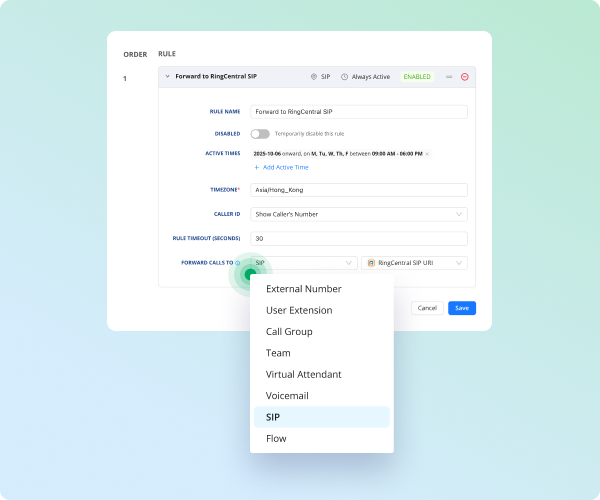
In the “Forward Calls To” section, choose your forwarding destination.
Options include forwarding to an external number (like a mobile phone or landline), a specific user extension, a team, a virtual attendant, voicemail, or a Session Initiation Protocol (SIP) address. When forwarding calls to an external number, enter the plus sign (+) followed by the country code before the number to maintain proper formatting.
Test Your Call Forwarding Setup
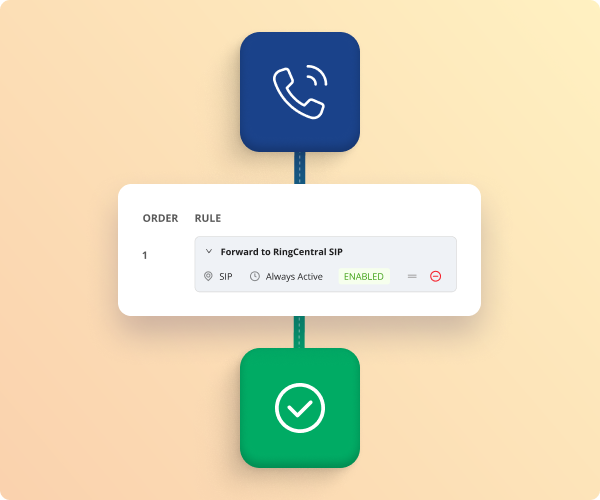
After configuring your forwarding rule, test the setup by making a test call from another device to confirm that the call forwards to your intended destination.
Update Your Forwarding Rules
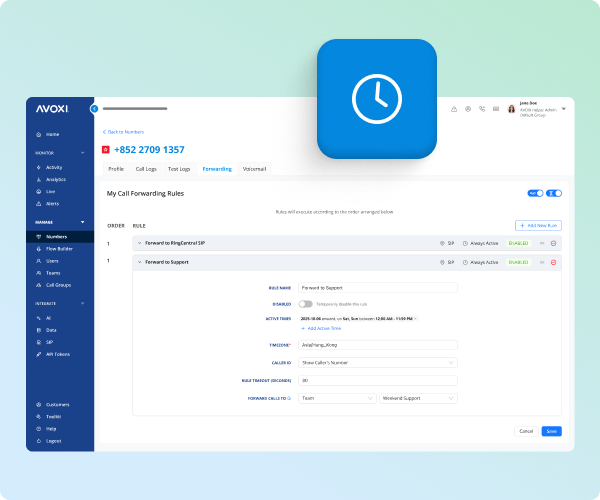
Regularly adjust your forwarding settings to align with current business needs. Update transfer rules and destinations as necessary to accommodate organizational changes or new business hours.
Coverage That’s Truly Worldwide
AVOXI securely delivers premium call quality by connecting you to vetted local carriers and efficiently routing traffic through our global POPs on every continent.

Why Businesses Choose AVOXI Call Forwarding

Enhance Global Reach
Establish a local presence in 150+ countries, making it effortless for international customers to connect with your brand.

Improve Customer Experience
Use advanced routing features like skills-based roiuting and IVR to direct calls to the appropriate team members.

Ensure Reliability
Rely on AVOXI's robust infrastructure to maintain clear and consistent communication across all channels.

Maintain Flexibility
Forward calls to various devices and locations, accommodating remote work and dynamic business environments.
Common Questions About Call Forwarding

Need Help Getting Your Phone Numbers?
We're here to help! Contact us today so we can help find the right business phone number for you.